
SimplePlanes
Jundroo, LLCSimulation
4.22.95K Reviews
- Version
- 1.12.209
- Installs
- 500.00K
- Age Rating
- Everyone
Screenshots
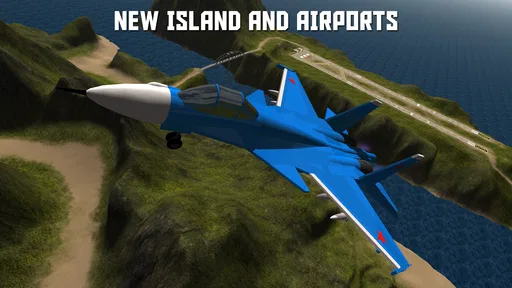
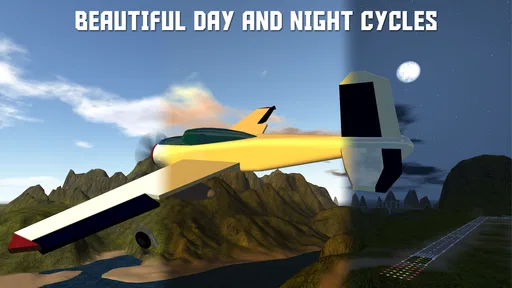
Our Review of SimplePlanes
 Analysis by Appyee
I’m drawn to games that let me make something, test it, and learn from the result rather than simply follow a fixed route. That is the appeal of SimplePlanes: I can sketch an aircraft from parts, take it into the air, and discover whether my design works. It is a paid simulation game from Jundroo, LLC, and its 4.2 average from around 15,000 ratings suggests a steady audience for its hands-on approach. I would recommend it most to curious builders, not to anyone looking for a quick, low-effort flying game.
A simulation built around making choices
The important distinction is that the aircraft is not just a skin or a preset to unlock. The builder asks me to think about how a craft is put together, and the flight test makes those decisions matter. That gives each experiment a clear purpose: if a plane struggles to get airborne or behaves awkwardly, I can revisit the design instead of blaming an unrelated level mechanic.
That loop suits short sessions surprisingly well. I can make one focused change, take the plane out, and judge the result without committing to a long campaign. It also rewards patience: changing several things at once may produce a different outcome, but it makes it harder to understand which adjustment helped. I get more useful feedback by changing one part of the design at a time.
Where it fits among flight games
Compared with a conventional arcade flight game, this is less about immediately mastering a roster of finished aircraft and more about creating a machine that deserves to fly. That extra freedom is the draw, but it also means the first minutes can feel less direct. Someone who wants simple controls, quick action, and no workshop time may be happier with a straightforward flying game.
It also occupies a different space from a strict, cockpit-focused simulator. I would choose a dedicated flight sim when the priority is practicing a particular aircraft or concentrating on a more conventional piloting experience. Here, the attraction is the connection between construction and flight: the builder is part of the entertainment, not a menu to rush through before the “real” game begins.
A practical way to learn the builder
When a first design refuses to behave, I would resist the temptation to rebuild everything. Start with a modest plane and use each test to answer one question: does it lift, does it stay controllable, and does it respond as expected? Keeping the changes small makes the cause-and-effect easier to read. It is a more satisfying way to learn than copying a complicated design without understanding why it works.
There is another useful trade-off in looking at other players’ creations. A downloaded craft can give me a quick flight or a concrete example of a layout, but it can also hide the reasoning behind its construction. I get more from opening a design as a reference, noticing how its parts are arranged, then making a simpler variation of my own. That turns browsing into an informal lesson rather than just a tour of impressive aircraft.
The game has reached version 1.12.209, while its original release dates to December 10, 2014. Those details show a product with a long history and a current version, but they do not tell me what any particular update changed. For an existing player, the practical point is to check that the installed version is current before comparing behavior with another player’s build or advice. I would treat the version as useful context, not as proof that a specific feature was newly added.
Who will get the most from it
I think it is especially well suited to people who enjoy tinkering, basic engineering puzzles, or the satisfaction of making a design work through repeated tests. It can also be a good fit for a parent or older child who wants a creative game to explore together, with an adult helping younger players interpret why a plane behaves differently after a change. Its Everyone age rating makes it broadly accessible, though the building process still asks for attention and patience.
A realistic use case is an evening with a few minutes to spare: I could open the game, adjust one part on a plane I have been developing, and run a short test flight. If the change makes the aircraft less stable, I have a clear next experiment for another session. That small, repeatable loop is more appealing to me than a game that requires a long uninterrupted stretch before I can make progress.
Building, flying, and deciding whether it suits you
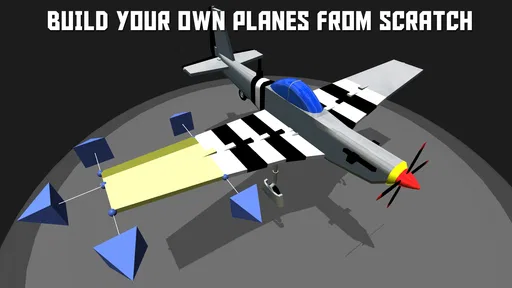
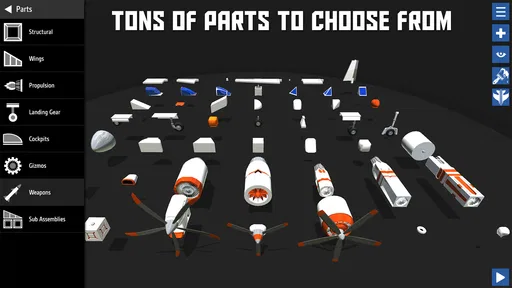
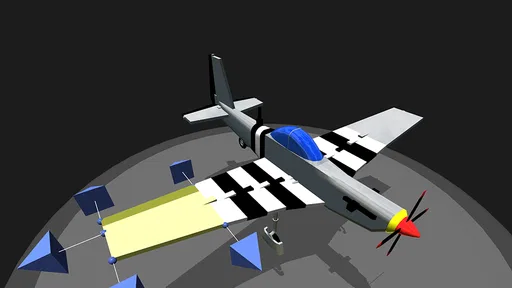
First things first, the core of SimplePlanes is all about building. The app gives you a wide array of parts, and the customization is nearly endless. You start with a blank canvas, and your only limit is your imagination. I spent hours just tinkering with different designs, trying to balance aesthetics with aerodynamics.
The interface is pretty intuitive. You drag and drop parts, tweak them, and connect them to form your masterpiece. I found the rotation and resizing options super handy for getting everything just right. And yes, you can add weapons if you’re feeling a bit adventurous. The app doesn't hold back on creativity.
Taking Off and Soaring High
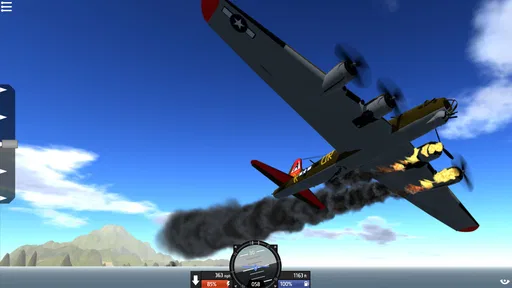
Once my plane was ready, it was time to test it out. Flying your creation is as thrilling as it sounds. The controls are quite responsive, and there’s a real sense of satisfaction when your plane takes off smoothly. I had a few crashes at first (who doesn’t?), but with a bit of practice, I was doing loops and barrel rolls like a pro.
The physics engine in SimplePlanes is impressive. It simulates real-world physics, so you need to consider weight distribution, lift, and drag. It’s a learning curve, but once you get the hang of it, it’s incredibly rewarding. There’s a delightful trial-and-error process that makes each successful flight feel like a mini victory.
Challenging Yourself with Missions
If you’re looking for more structured gameplay, SimplePlanes offers missions to test your skills. These missions are varied and challenging, pushing you to apply what you’ve learned in the builder. From racing through hoops to dogfighting, there’s plenty to keep you engaged.
I particularly enjoyed the rescue missions. They required precise flying and really tested my piloting skills. Completing these missions earns you in-game currency, which you can use to unlock more parts and features.
Community and Sharing
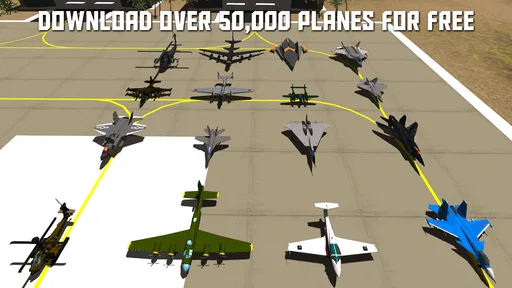
One of the standout features of SimplePlanes is its community. You’re not alone in this creative endeavor. The app has a thriving online community where users share their designs and download others’ creations. It’s a fantastic way to get inspired and see what others are building.
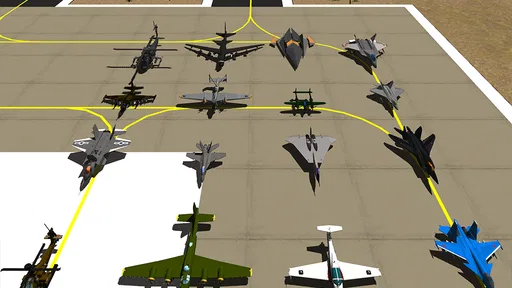
I found myself spending hours just browsing through the community’s masterpieces. There’s everything from historical aircraft to futuristic jets. And yes, you can download them, tweak them, and fly them yourself. It’s like having an ever-expanding hangar of planes to explore.
What to expect from the learning curve
The game’s freedom can be a little intimidating if I open the builder without a plan. I find it easier to begin with a simple goal, such as making a craft that can take off and turn reliably, rather than trying to reproduce a complex real-world aircraft straight away. A visual design may look convincing on the runway yet behave poorly in the air, so I treat appearance and flight performance as separate goals until I understand how the build handles.
That distinction is one of the game’s best teaching tools, but it is also a source of friction. A failed test is informative only if I am willing to inspect the design and try again; players who dislike experimentation may see the same process as repetition. The game is more enjoyable when I regard a crash as feedback, not as a score to be ashamed of.
Cost, compatibility, and a sensible expectation
The game costs $5.99, so I would think of it as a focused creative purchase rather than a free diversion to sample casually. Its 500K-plus installs show that it has found a sizable audience, but that alone does not guarantee it matches every player’s taste. I would buy it for the build-and-test loop, not simply because I want a large collection of ready-made planes.
It supports Android 6.0 and later, which gives many older devices a path to run it, though the experience of building on a small touch screen can still feel more fiddly than playing on a larger display. If precise placement is important to you, take your time with the editor and expect some adjustment as you learn its controls. The game is best approached as a detailed sandbox rather than a hands-free, pick-up-and-play flight toy.
At around 2,900 written reviews, players have shared plenty of opinions, but the most useful question is still what you want from a simulation. If you want to design, test, and refine aircraft, the price may feel worthwhile. If your main interest is a polished sequence of missions with minimal construction, a more conventional flight game is likely a better match.
What I would keep an eye on
For anyone returning after a break, I would first see how familiar builds behave in the current version, then explore new ideas at my own pace. That approach avoids assuming that a remembered setup will feel identical while giving me room to notice what has changed in my own habits. I would also keep saved designs organized around a clear purpose—such as a stable test plane or a craft for a particular challenge—so experimentation does not become a jumble of nearly identical builds.
My main reservation is not that the game lacks ideas; it is that its strongest feature demands active interest. The builder is a reward for players who like to solve problems, but it can be a barrier for anyone who would rather jump straight into a polished flight. I would not pick it as a casual alternative to a simple arcade game, and I would not expect a complex aircraft to be easy to control just because it looks impressive.
Final Thoughts
All in all, SimplePlanes is a brilliant app for anyone who loves building and flying. It’s educational, entertaining, and a perfect sandbox for creative minds. Whether you’re a seasoned engineer or just someone who loves planes, there’s something here for you.
The app does have a bit of a learning curve, especially when it comes to understanding the physics of flight. But that’s part of the charm. It’s a journey of discovery, and each flight teaches you something new.
So, if you’re ready to take to the skies and unleash your inner aircraft designer, give SimplePlanes a try. Trust me, you’ll be hooked in no time.
Verdict
Strengths of SimplePlanes
- Intuitive plane-building mechanics.
- Extensive tutorial for beginners.
- Active community for sharing designs.
- Realistic flight physics.
- Cross-platform support available.
Limitations of SimplePlanes
- Limited free content options.
- Graphics can be demanding.
- Occasional crashes on older devices.
- Some tools lack precision.
- In-app purchases can be pricey.
Other Releases by Jundroo, LLC
View All
Juno: New Origins Complete Ed.
Simulation4.0
Similar Picks in This Category
View All
Truckers of Europe 3
Wanda Software4.3

Town Building Life Simulator
XGame Global4.2

Fidget Toys Trading・Pop It 3D
Freeplay Inc4.7

Sculpt People
CrazyLabs LTD4.4

Scary Teacher 3D
Z & K Games4.2

Hair Tattoo: Barber Shop Game
CASUAL AZUR GAMES4.3
Frequently Asked Questions
What is SimplePlanes and what can I do with it?
SimplePlanes is a flight simulation game that allows users to design and build their own aircraft. With a robust set of tools, you can create anything from a simple glider to complex jets. Once built, you can test your creations in realistic flight simulations. The game encourages creativity and experimentation, making it both educational and entertaining.
Is SimplePlanes suitable for beginners or only for experienced users?
SimplePlanes caters to both beginners and experienced users. The game includes tutorials to help newcomers understand the basics of aircraft design and flight physics. For advanced users, there are detailed customization options to explore. The community also provides support and shared designs to aid learning and inspiration.
Does SimplePlanes require an internet connection to play?
SimplePlanes can be played offline, allowing you to design and test planes without an internet connection. However, connecting to the internet enables additional features such as downloading user-created content and sharing your own designs with the community. This enhances the gameplay experience but is not mandatory for core functions.
What are the system requirements for SimplePlanes on mobile devices?
SimplePlanes is available on both Android and iOS platforms, requiring moderate system specifications. For Android, it generally requires a device running version 4.1 and up. iOS users need a device running iOS 9.0 or later. The game is optimized for performance, but newer devices will provide a smoother experience.
Are there any in-app purchases in SimplePlanes?
SimplePlanes does offer in-app purchases, but they are not necessary to enjoy the full experience. Purchases may include additional content or customization options. The core game provides ample features and tools to design and fly planes, ensuring a complete experience without extra costs.
Play our best games!


